
Rate limits
BullMQ has two things called a rate limit and the dashboard exposes both, because they answer different questions.
The configured limit is a setting: how many jobs this queue may process across all its workers in a window of time. It lives beside global concurrency and you edit it the same way.
The active limit is a state: what a worker wrote when it called queue.rateLimit(ms), usually because a third-party API pushed back. While it is set, nothing on the queue runs. It expires on its own, and until then a queue with healthy workers and a full waiting list does nothing at all.
Set the configured limit from the UI
Open the queue's actions dropdown, pick "Set rate limit", enter a maximum and a window in milliseconds.
Bull-board calls Queue.setGlobalRateLimit(max, duration) on your behalf. Leaving both fields empty removes the limit through removeGlobalRateLimit().
Set it in code
Five hundred jobs a minute, across every worker on the queue. The value is stored in Redis, so a worker in any process sees it. Read it back with getGlobalRateLimit(), which returns null when none is set.
The current value is also shown in the queue info panel, under Rate limit.
When a worker trips a limit
A queue that is currently rate limited grows a badge beside the status tabs, counting down the milliseconds left on the limiter.
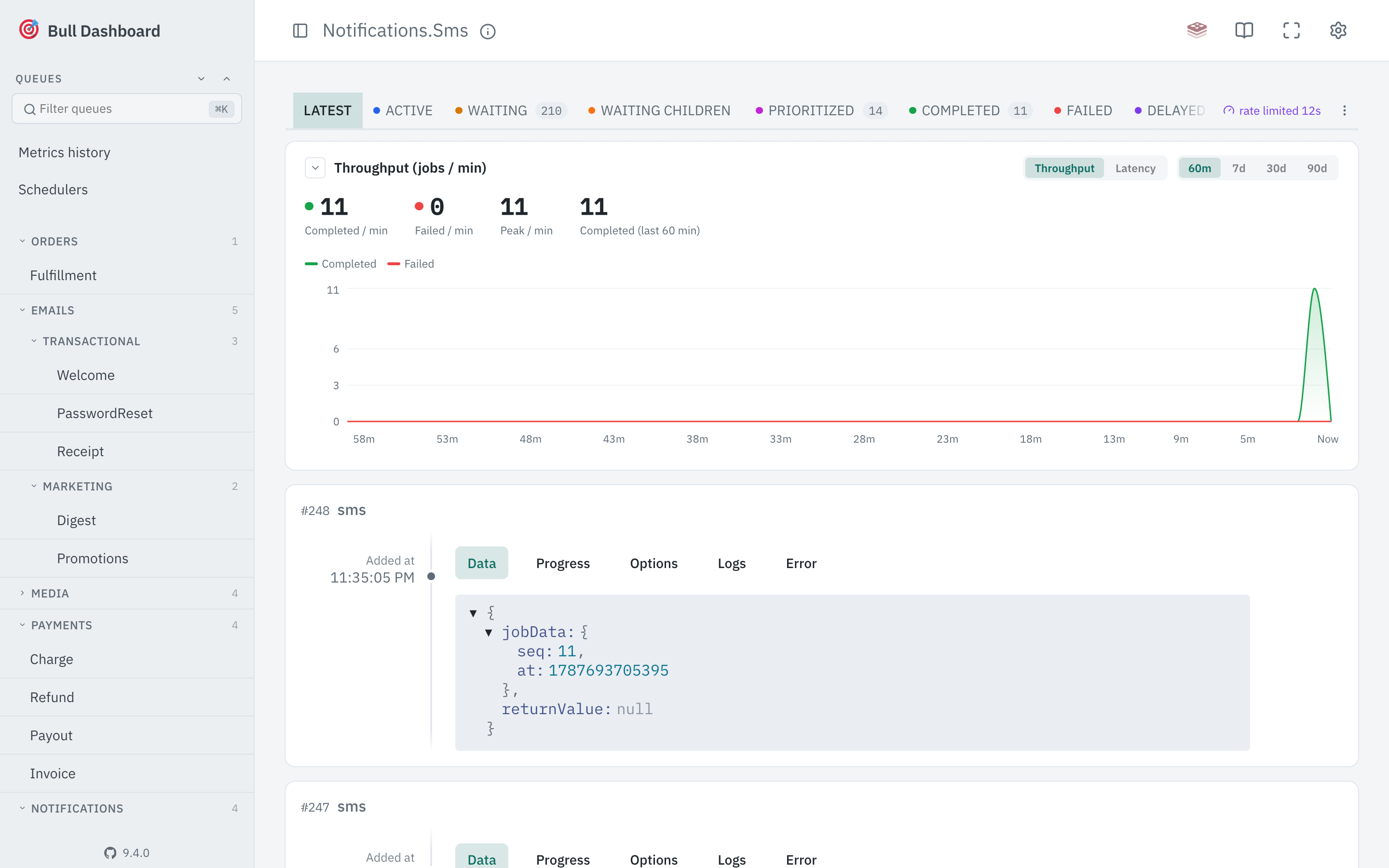
Clicking the badge clears the limit through Queue.removeRateLimitKey(), and so does Release now inside the rate limit dialog. This is the part with no equivalent anywhere else: a limit a worker set is otherwise only cleared by waiting it out.
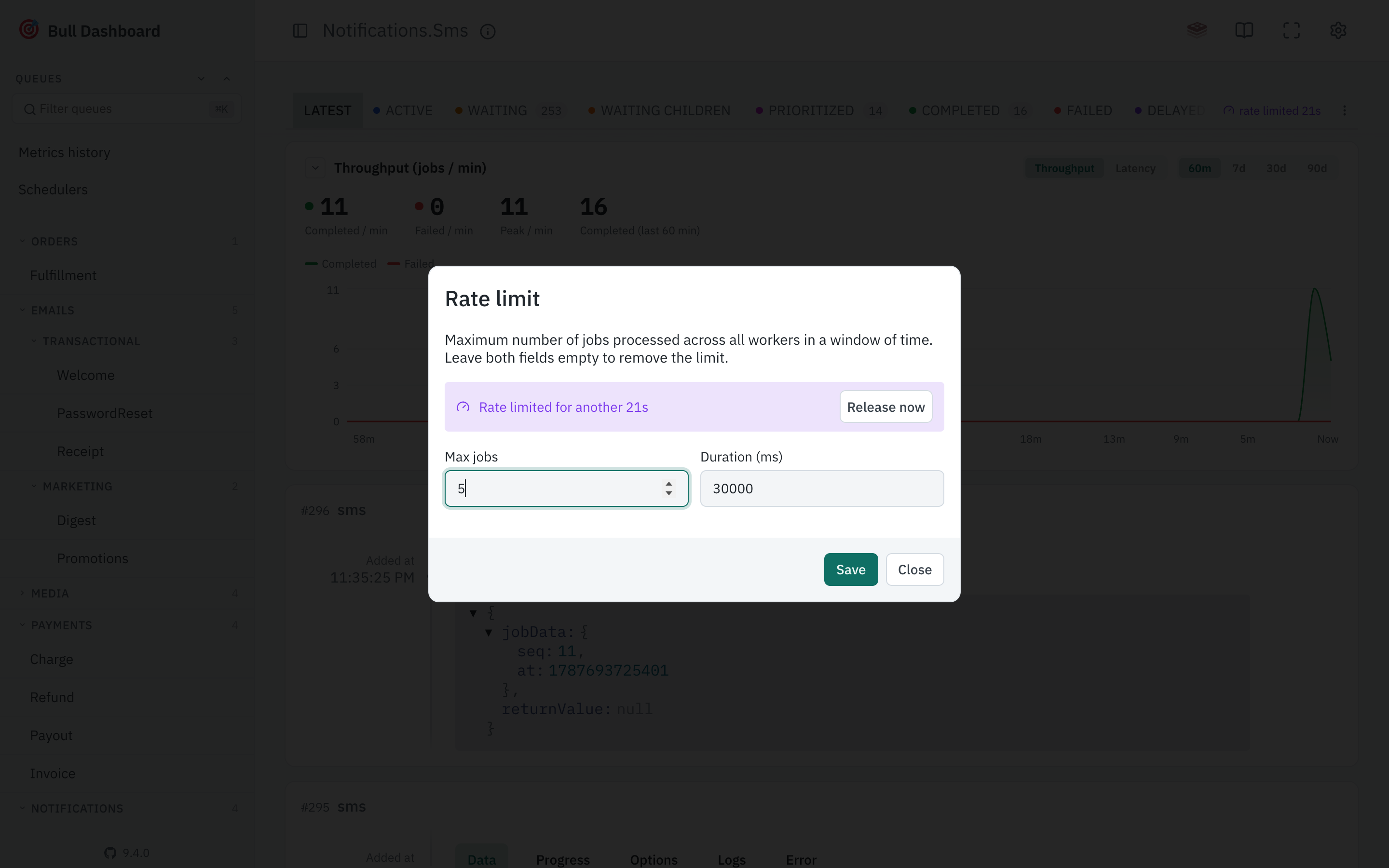
Clearing it does not stop the worker setting it again. If a worker rate limits the queue every time an upstream API returns 429, releasing the limit sends the next job straight back into that 429. It is the right tool when the limit was set by something that has since recovered, and the wrong one when the thing that caused it is still broken.
Only BullMQ supports either half. Bull's limiter is fixed when the queue is constructed and has no runtime setter, so the menu entry never appears on a Bull queue and the API answers 400.
Read-only mode
Read-only mode disables both, the same way it disables global concurrency. The badge still shows, since knowing why a queue is stalled is not a write.