
Job logs and flows
Two features people often miss.
Job logs
In a BullMQ worker, call job.log() to push lines that appear in the dashboard's job detail view:
Open the job in the dashboard, switch to the Logs tab.
job.log() is BullMQ-only. Bull has no equivalent.
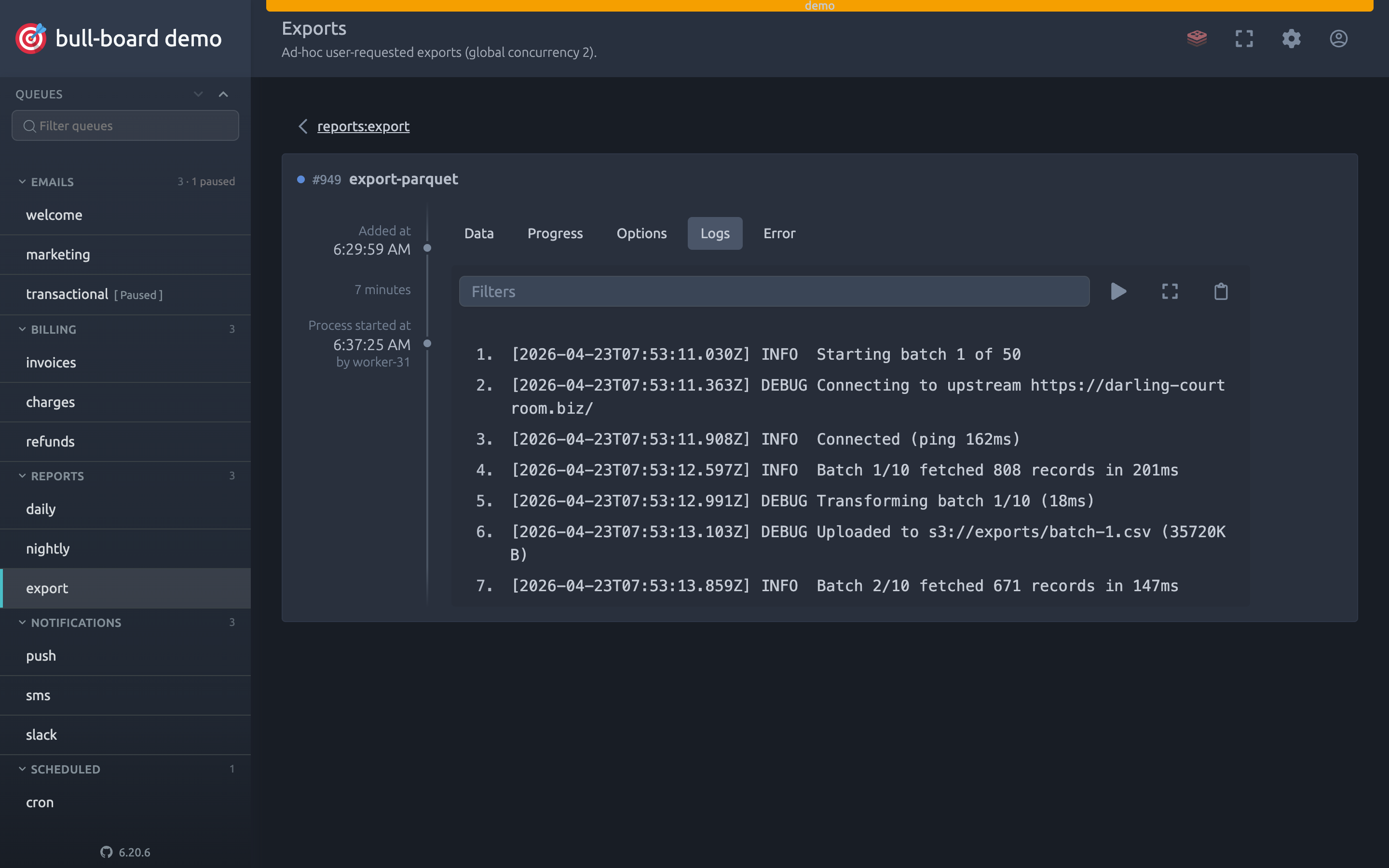
Live example: open the demo and drill into a worker-processed job in emails:welcome.
Job flows
BullMQ supports flows. Parent jobs that wait on child jobs across queues. Build one with FlowProducer:
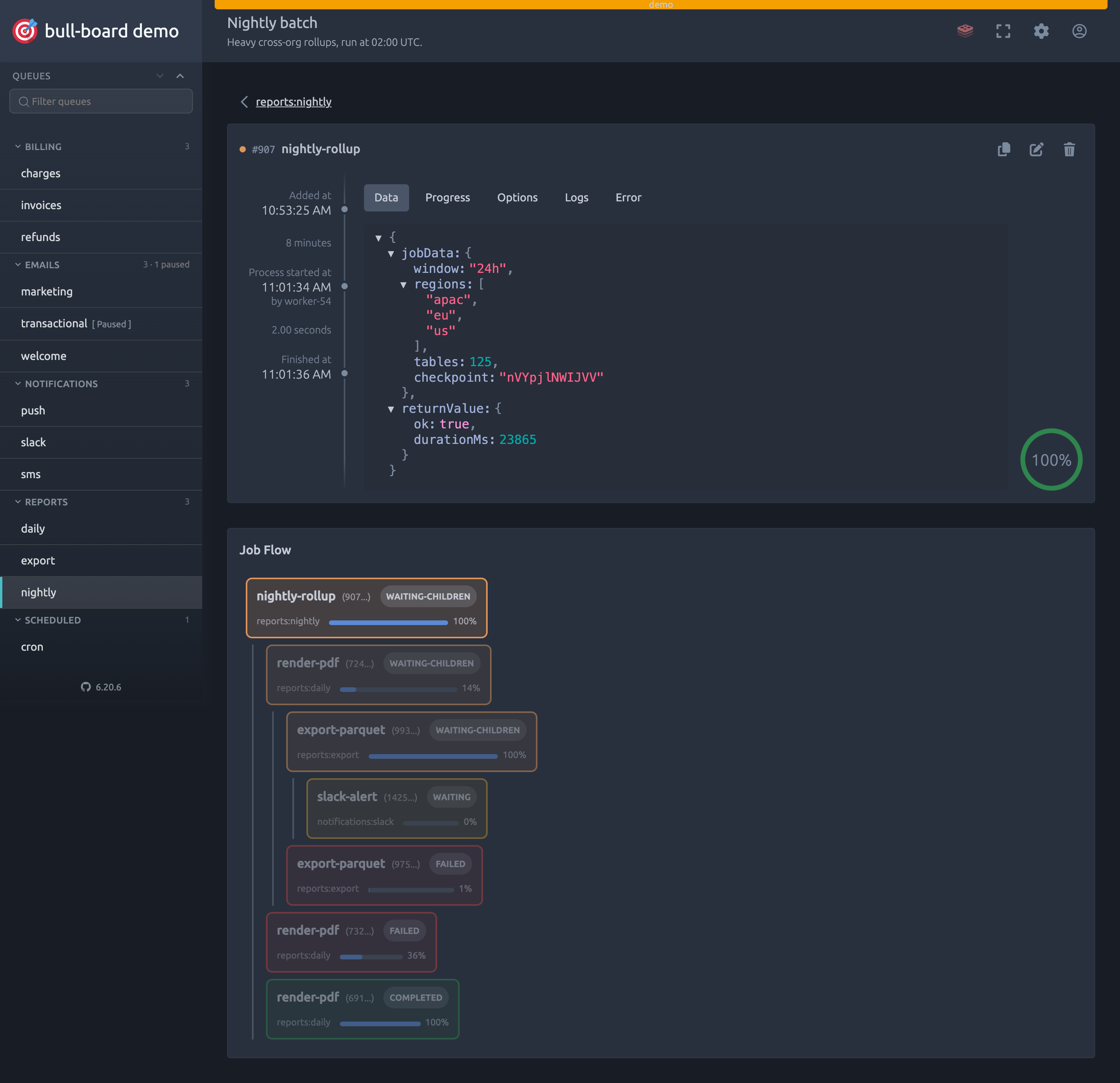
Bull-board draws the whole flow as a graph on the job's detail view, whichever job in it you opened. It pans and zooms, and it opens fitted to the entire flow so you see the shape first. The control below the zoom buttons recentres on the job you came in on.
Clicking a node fills the panel beside the canvas with that job's state and data rather than navigating away, so your position in the graph survives. Use Open this job in the panel when you do want its own page. The button in the card header expands the canvas to fullscreen, and Escape leaves it.
Live example: open the demo and scroll to reports:nightly for a parent job with children.
Large flows
A flow wide or deep enough to be expensive is not fetched whole. The response carries the top of the flow up to a fixed budget, and any node holding back children says so: a node reading Load 20 more has more children than it was given. Clicking it loads that node's children in place, without disturbing the viewport or anything you had already expanded.
Fan out is the common shape here, one parent with a child per unit of work, so a single level is loaded whole rather than in pages: one click on a parent with 600 children gets all 600. Past a thousand children on one node the graph stops being the right tool, and the node says how many it is showing and leaves you to open the child queue.
The endpoint takes depth and maxChildren if you want a different window, and both default to the values BullMQ itself uses.
When a parent is waiting on children that are not coming
A parent sits in waiting-children until its children finish, and the graph alone does not tell you whether that is going to happen. Each node with children carries the counts BullMQ keeps for it: how many are done, how many are unfinished, and how many were ignored.
Unfinished is worth reading carefully. It is the parent's dependencies set, which holds every child the parent is still waiting on, and a child that has failed and may yet retry is still in there. So a stuck flow can show unfinished children that are not going to move on their own. Select the node to see the failure.
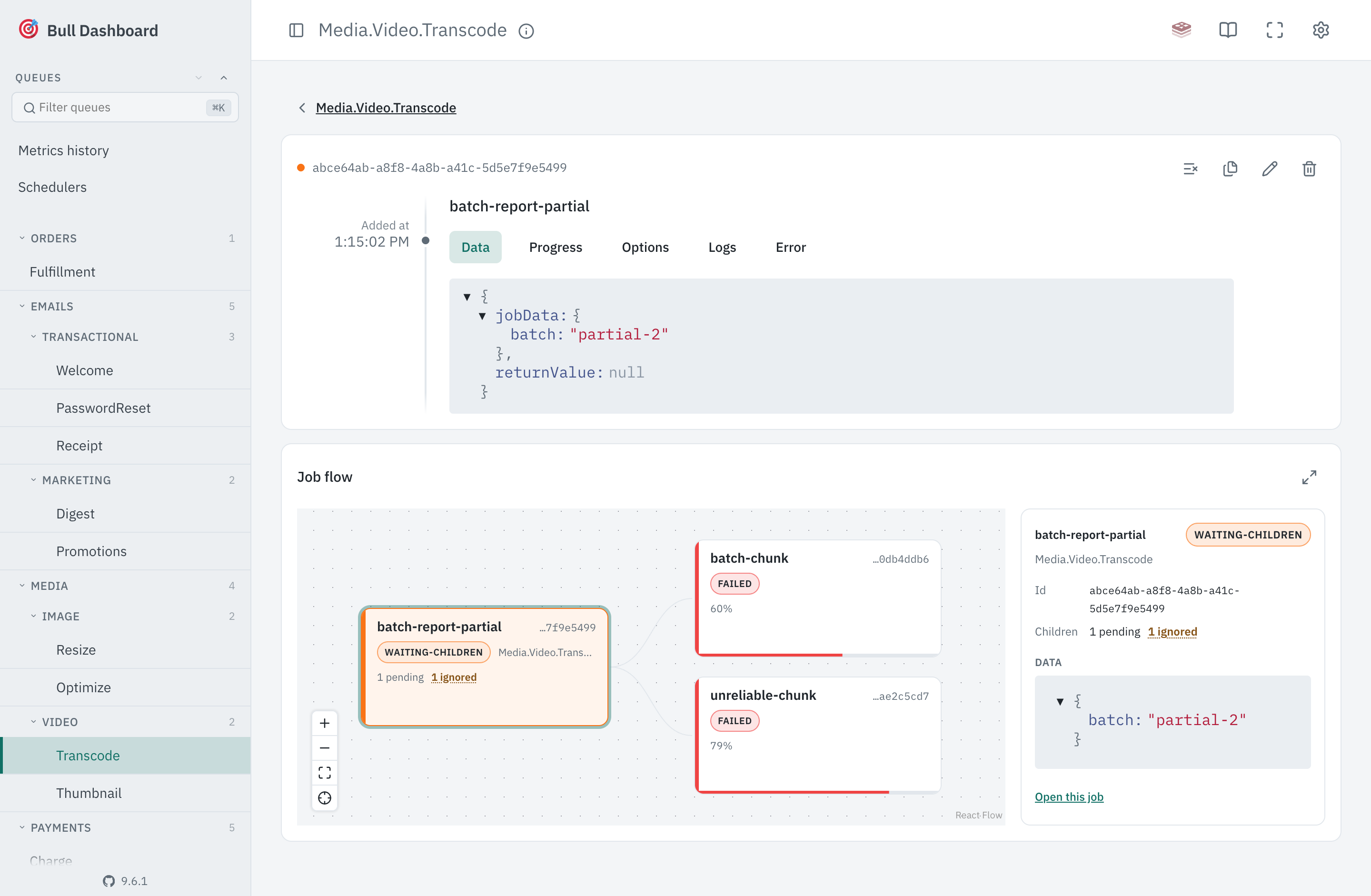
Ignored is the one worth knowing about. A child added with ignoreDependencyOnFailure that fails does not fail its parent, it is set aside and the parent carries on as if it had succeeded:
That is the point of the option, and it also means a report can complete having quietly skipped half its inputs. Hovering the ignored count shows why each of those children failed, read from Job#getIgnoredChildrenFailures().
Ignored is called out in colour; done and unfinished stay muted, since a parent working through its children normally is not news. A leaf, having no children, shows nothing.