Queue Adapters

Queue adapters wrap your Bull or BullMQ queue instances so the board can read and manipulate them. The core @bull-board/api ships with three built-in adapters; third-party queue systems can add their own.

Built-in adapters

Queue systemAdapterDocs
BullBullAdapterBull →
BullMQBullMQAdapterBullMQ →
BullMQ ProBullMQProAdapterBullMQ Pro →

BullMQProAdapter extends BullMQAdapter to handle Pro groups. All BullMQAdapter options work the same way on it.

Shared options

All adapters accept the same optional options:

OptionTypeDefaultDescription
readOnlyModebooleanfalseHides all queue and job actions.
allowRetriesbooleantrueShows or hides the retry buttons on failed jobs. Forced to false when readOnlyMode is true.
allowCompletedRetriesbooleantrueShows or hides the retry button on completed jobs. Only takes effect when allowRetries is true. Always false on BullAdapter (Bull can't retry completed jobs).
descriptionstring''Queue description text displayed in the UI.
displayNamestring''Overrides the queue name shown in the UI.
prefixstring''Prepended to job names in the UI.
delimiterstring''Delimiter between the prefix and the job name.
externalJobUrl(job) => { href, displayText? }noneLinks each job card to a page in your own app. See External job URLs.
jobDataSchemaobject (JSON Schema)noneDescribes the shape of a job's data. Drives the Add job form: prefills the editor with a starting value and turns on schema-aware autocomplete and validation. See Job data schema.

Job data schema

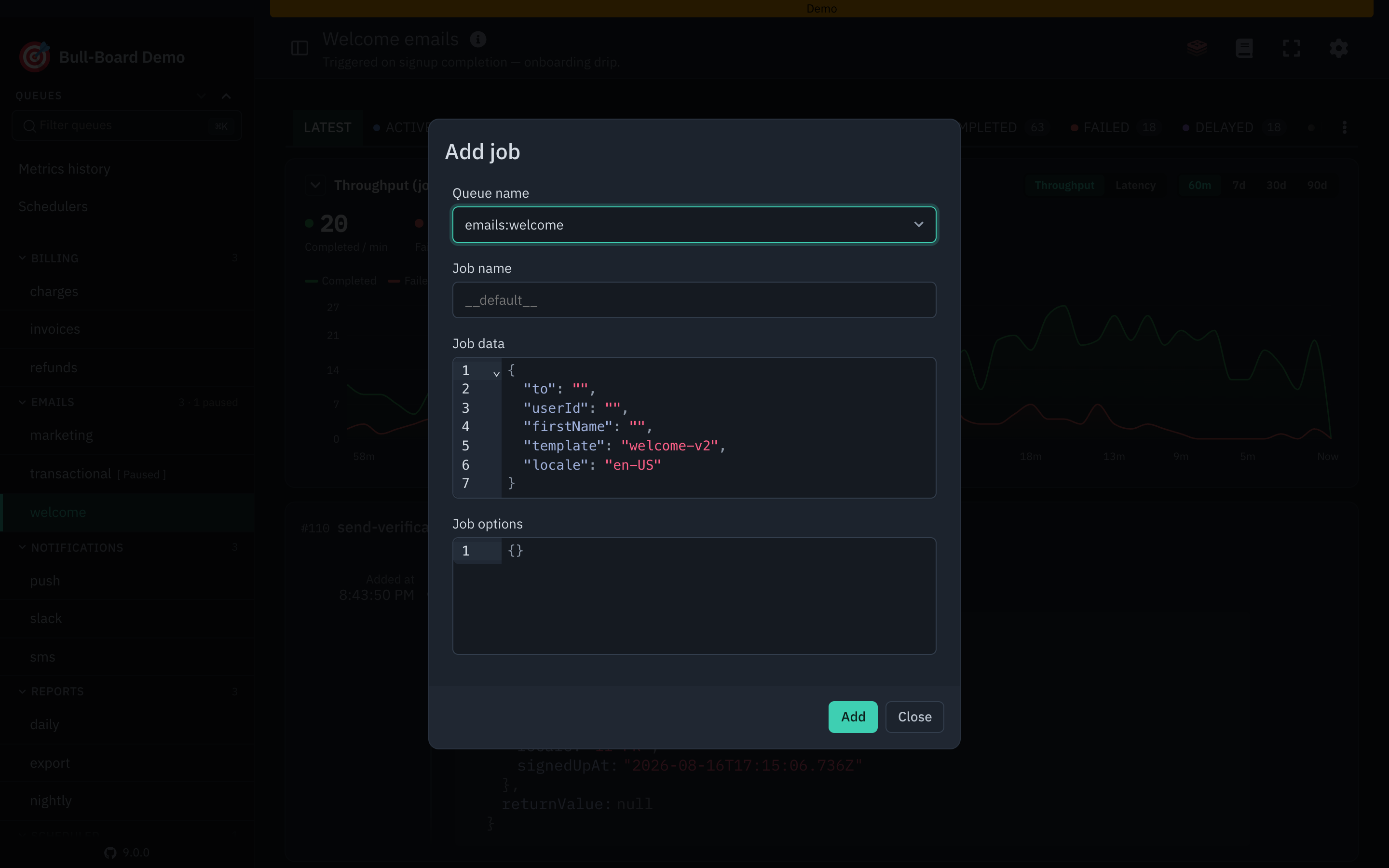
Pass a JSON Schema as jobDataSchema to teach the dashboard what a queue's job data looks like. The Add job form then does three things with it:

  • Prefills the job data editor with a starting value: the schema's default, otherwise its first examples entry, otherwise a skeleton built from properties (each key seeded with its own default or a typed placeholder).
  • Autocompletes the expected keys as you type, with any description shown on hover.
  • Validates the JSON against the schema inline, flagging missing required fields, wrong types, and unknown keys before you submit.
new BullMQAdapter(resetPassword, {
  jobDataSchema: {
    type: 'object',
    additionalProperties: false,
    required: ['userId', 'email'],
    properties: {
      userId: { type: 'string', description: 'Internal id of the user requesting the reset.' },
      email: { type: 'string', format: 'email', description: 'Address the reset link is sent to.' },
      locale: { type: 'string', description: 'BCP-47 locale for the email template.', default: 'en' },
    },
  },
});

The schema is documentation for the dashboard only. It is not enforced by Bull or BullMQ, so keep it in step with what your worker actually expects.

Instance methods

All adapters expose setFormatter and setVisibilityGuard:

adapter.setFormatter('name', (job) => `#${job.name}`);
adapter.setFormatter('data', (data) => redact(data));
adapter.setFormatter('returnValue', (value) => redact(value));
adapter.setFormatter('progress', (progress) => `${Math.round(progress)}%`);

adapter.setVisibilityGuard((request) => {
  // return true to show this queue, false to hide it
  return request.headers['x-tenant-id'] === 'acme';
});

Mixing adapters

You can mix Bull and BullMQ queues in the same board:

createBullBoard({
  queues: [
    new BullAdapter(bullQueue),
    new BullMQAdapter(bullmqQueue),
    new BullMQProAdapter(bullmqProQueue),
  ],
  serverAdapter,
});